


Vero Live
4.654.00 Reviews
App Specs
- Version
- 2.0.0
- Updated On
- License
- Free
- Downloads
- 1,000,000+
- Developer
- Funbytes Dev Team
- Categories
- Social
- Platform
- Android
Screenshots
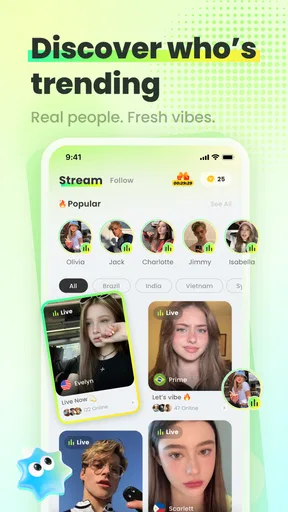

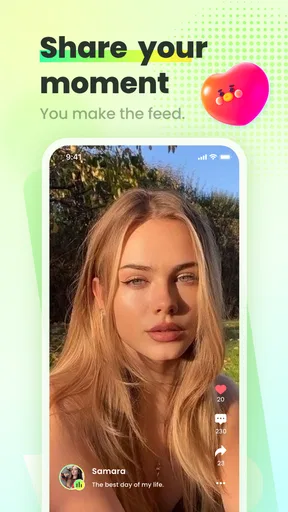
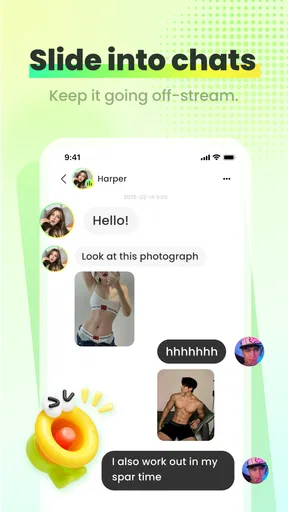
 Analysis by AppCompare
I approached Vero Live as a newcomer rather than as someone already committed to live streaming. That matters because a social app can look exciting in a store listing and still feel confusing during the first few minutes. My experience was easier to understand when I treated it as a place to discover live content, watch for a while, and decide gradually whether I wanted to participate more actively.
Vero Live is a free social app from Funbytes Dev Team, built around live streaming and interaction. It is available for Android devices running version 7.0 or later, and the app is marked for mature users aged 17 and over. The basic download does not require an upfront payment, although optional in-app purchases range from $0.99 to $99.99 per item, so I would still check the purchase controls before spending anything.
The app has already attracted over a million installs and holds a 4.5 average from around 5.5 thousand ratings. Those figures suggest that Vero Live has found an audience, but they do not tell me whether it will suit every viewer. For me, the more useful question is whether its live format fits the way you actually use social apps: do you want quick, spontaneous interaction, or do you prefer polished videos that you can pause and watch on your own schedule?
What to expect when you open Vero Live
The first thing to understand is that Vero Live is not simply a library of finished clips. Its appeal comes from the live element, where the value depends on what is happening at that moment and how willing you are to take part. That makes the experience more immediate than ordinary short-form video, but also less predictable. Some sessions may hold your attention quickly; others may feel slow if the subject or host is not a match.
I found it helpful to think of the app as a social room rather than a traditional television channel. You enter, look around, choose something that interests you, and decide how much time to give it. That mindset prevents a common disappointment: expecting every stream to be perfectly edited or consistently entertaining. Live content has natural pauses, uneven pacing, and moments where the audience is part of the atmosphere.
The mature age label is worth taking seriously. It does not mean every part of the app will feel unsuitable, but it does mean this is not an app I would recommend casually to younger users. Adults should also remember that live social spaces can change quickly. A stream that seems harmless at one moment may become uncomfortable later, so leaving a session is a normal and sensible choice rather than a sign that the app has failed.
There is also a difference between watching and participating. You can approach Vero Live as a viewer first, which is the least demanding way to understand it. If you later decide to interact more, your expectations should change: live participation requires more attention, more awareness of what you share, and more patience with the rhythm of a real-time conversation.
Worth Reading Before You Choose

EA SPORTS FC Mobile 26 Is a Bigger Football Game, but It Takes Time

Flipboard Shows What News Apps Must Do Beyond the Feed

Switching to Android Auto Means Rethinking Your Driving Routine

Google Calendar Makes a Crowded Week Easier to Manage

Ludo King Makes the Most of the Minutes Between Plans

Baby Panda World Brings Quick Play to Modern Phones, but Its Game Library Feels Busy
My main advice is to judge the app after several different sessions, not after one stream. A single broadcast can be unusually quiet, unusually busy, or simply outside your interests. Sampling different content gives you a fairer sense of whether the platform has a place in your routine.
How it differs from familiar social alternatives
Compared with a standard social feed, Vero Live feels more immediate but less controlled. In a normal feed, I can scroll past a post, return later, or consume several pieces of content in a few minutes. Live streaming asks me to accept that the moment is unfolding now. That can create a stronger sense of presence, but it also means I have less control over pacing and presentation.
Compared with video platforms focused on recorded uploads, Vero Live is better suited to people who enjoy unpredictability and visible audience energy. Recorded video is usually the better choice when I want a tutorial, a carefully edited explanation, or something I can pause repeatedly. Vero Live makes more sense when the interaction itself is part of the entertainment.
It also differs from private messaging. A message is usually directed at one person or a small group, while a live environment is more public in feeling. If your priority is a quiet conversation with friends, a messaging app will probably be more comfortable. If you want to observe a shared moment with other viewers, the live format has a clear advantage.
Getting through the first setup without overcommitting
When I install a new social app, I prefer to keep the first setup simple. I do not rush into purchases, public interaction, or a detailed personal profile before I understand the basic flow. That approach works especially well here because the important early question is not “How do I use every option?” but “Can I find live content that I genuinely want to watch?”
After opening the app, take a moment to identify the main viewing path before exploring everything else. Look for how live sessions are presented, how you enter one, and how you return to the wider selection. Learning those three actions gives you a reliable base. It is more useful than tapping every visible control and then forgetting what each one does.
I would also recommend using a short first session for orientation. Spend a few minutes observing how the screen changes when you enter a live broadcast, where conversation or reactions appear, and how you leave. This is a practical way to reduce accidental taps. Live apps can make controls feel urgent because the content is moving, but there is rarely a good reason to rush.
Before using any optional paid item, decide what you are trying to accomplish. If you are only testing the app, do not treat a purchase as part of the setup. The presence of individual items priced from $0.99 to $99.99 means the cost can vary considerably, and a first-time user may not yet know whether spending adds meaningful value to the experience. I would wait until I understood the social side of the app and had a clear personal reason to buy anything.
The current version is 2.0.0, and the app was released on April 22, 2025. For a new user, those details are less important than keeping expectations realistic: an app can evolve, and the layout or behavior you see may change in later updates. If a control seems different from a description you read elsewhere, rely on what is visible in your installed version rather than assuming an older guide is still accurate.
A calmer way to choose your first stream
Instead of opening the first available broadcast and deciding immediately, I suggest scanning for a subject or presentation style that already interests you. Your first meaningful success should be simple: find a session you can watch for several minutes without feeling lost. That gives you a better introduction than trying to become an active participant before you understand the room.
Pay attention to the pace. A stream that starts slowly may become engaging once the host begins responding to viewers, while a busy session may feel overwhelming if messages or reactions move too quickly. Neither experience automatically represents the whole app. The useful question is whether you can adjust your choice until the atmosphere feels comfortable.
Another practical tip is to decide in advance how long you want to browse. Live apps are designed around continued discovery, and it is easy to keep checking one more session. A short limit helps you evaluate the app based on quality rather than time spent. If you finish that trial feeling curious instead of drained, Vero Live may fit your habits.
Your first successful action: watch, understand, then interact
For me, the first real success with Vero Live is not starting a broadcast or making a purchase. It is entering a live session, understanding what is happening, and leaving with a clear sense of whether I would return. That sounds modest, but it is the right foundation for a social platform. You cannot judge the community or interaction style if you are still trying to work out the basic navigation.
Once you find a session you enjoy, observe how viewers take part. Notice whether interaction feels central to the broadcast or more like a side layer. You do not need to contribute immediately. Watching first lets you learn the tone, the pace, and the kind of response that seems appropriate. This is particularly useful if you are not used to public live conversations.
When you do decide to interact, keep your first contribution low-pressure and relevant to what is happening. A short response connected to the current topic is safer than sharing personal details or trying to attract attention immediately. The goal is to test whether participation improves the experience for you, not to prove that you can be the most visible person in the room.
A realistic everyday scenario would be using the app during a quiet evening when you want company without committing to a full conversation with friends. I might open Vero Live after finishing other tasks, browse for a session that matches my mood, watch for a few minutes, and interact only if the atmosphere feels welcoming. If nothing appeals, I can leave without having invested much time or money. That flexibility is one of the format’s strongest points.
For someone who wants to become a regular broadcaster, the first successful action should be different. Before trying to build an audience, I would focus on learning the viewer experience. Understanding what makes a session easy to follow helps you avoid a common mistake: assuming that simply going live is enough to keep people interested. The app may be social, but attention still depends on clarity, consistency, and a reason for viewers to stay.
Three habits that make the experience more useful
- Use observation as a filter. Give a session enough time to reveal its rhythm, but leave promptly when the subject or atmosphere is clearly wrong for you. This is more efficient than scrolling endlessly or forcing yourself to enjoy a broadcast.
- Separate curiosity from spending. Explore the free experience first. Optional items may be meaningful to committed participants, but they are not a substitute for finding content or people you actually value.
- Protect the boundary between social and personal. Live interaction can feel friendly quickly. I would still avoid sharing identifying information, private contact details, or anything I would not want repeated in a public setting.
These habits are useful because they address trade-offs that a short store summary cannot show. The app’s immediacy can make it engaging, but it can also encourage impulsive decisions. Its social atmosphere can feel welcoming, but it can also make a new user feel pressure to respond. Taking control of your pace keeps the good parts without letting the format dictate your behavior.
Common confusion and the friction new users should expect
The biggest source of confusion is the difference between a live app and an ordinary content feed. New users may expect every item to offer the same polished experience, but live sessions vary by nature. Some are worth staying for because the conversation develops; others may not provide a reason to remain. That variation is not necessarily a technical problem, but it does make discovery more dependent on your own selection.
Another point of friction is the feeling that you should participate immediately. You do not. Watching quietly is a valid way to use the app, especially during your first visits. If the social layer feels too intense, choose a less crowded session or simply treat the first few minutes as research. You are learning the environment, not failing to use it.
Paid items can create a second kind of uncertainty. Because the app is free to install but includes optional purchases, a user may wonder whether the unpaid experience is incomplete. My practical approach is to postpone that judgment until I have found a genuine reason to support or enhance an interaction. If the app is not enjoyable without spending, buying something is unlikely to solve the underlying problem.
Privacy and comfort can also become confusing in live spaces. The most natural response to a friendly host or audience is to open up, but real-time conversation can move faster than careful decision-making. I recommend keeping early interactions general. Talk about the session, the topic, or the shared activity before discussing your location, schedule, workplace, or other personal information.
Moderation expectations deserve realism as well. A mature-rated social app is not the right place for someone who needs a tightly controlled, child-focused environment. Adults who are sensitive to unpredictable conversation should use the app selectively and leave any session that crosses their boundaries. The ability to move on is part of using live platforms responsibly.
Device compatibility is straightforward for many users because the minimum Android requirement is 7.0. If you are using an older device or an iPhone, check the relevant store page for compatibility before planning around the app. I would not assume that an app’s presence on one mobile platform guarantees identical behavior or availability on another.
When another option is better
I would skip Vero Live if you mainly want content that is quiet, predictable, and fully edited. A recorded video service will usually serve that need better. I would also choose private messaging instead if my real goal were a focused conversation with people I already know. The live format adds energy, but that energy is unnecessary when privacy and control matter more.
It may not be the best fit for users who dislike public interaction, changing topics, or the possibility of encountering content outside their preferred mood. In those cases, a curated feed or subscription-based video service can feel less demanding. Vero Live is strongest when you accept that discovery is part of the experience and that not every session will be equally rewarding.
On the other hand, I would recommend trying it if you enjoy spontaneous conversations, want to observe communities as they form, or like the feeling of being present during an event rather than watching a finished recording later. The app is especially approachable when you use it in small sessions and let your interests guide the search.
What to do after the first useful session
Once you have found a session that worked for you, the next step is not to explore every feature at once. Return to the kind of content that held your attention and compare it with a different style. This helps you discover whether your interest is tied to one particular broadcast or whether Vero Live consistently offers the atmosphere you want.
If you enjoy participating, increase your involvement gradually. Start with occasional interaction, then consider whether you want a more regular presence. This gradual path makes it easier to notice how much time the app takes from your day and whether the social exchange is genuinely rewarding. It also gives you a chance to decide what boundaries you want before the experience becomes a habit.
If you are considering optional purchases, set a personal limit before opening the payment screen. I would only spend when the reason is clear and the amount feels comfortable outside the excitement of a live moment. The wide range of possible item prices makes this especially important for first-time users who are still learning what the app offers.
For viewers, a useful routine might be to open the app with a specific intention: discover one interesting session, watch for a defined period, and leave if nothing fits. For aspiring streamers, the equivalent routine is to study what makes a broadcast easy to follow before attempting to create a regular schedule. These approaches turn a broad social app into something more manageable and purposeful.
Funbytes Dev Team has positioned Vero Live around live social discovery rather than passive, endlessly polished viewing. That choice gives the app personality, but it also creates its limitations. The experience depends on the quality and timing of available sessions, your comfort with public interaction, and your ability to avoid impulsive spending or oversharing.
My final view is that Vero Live is worth trying for adults who want real-time social energy and are happy to explore at their own pace. I would begin as a viewer, keep the first session short, learn the basic controls, and delay purchases until the app has earned a regular place in my routine. If you prefer predictable recorded content or private conversations, another category of app will likely serve you better. For the right user, though, this free live-streaming hub can become an easy way to find a little company, discover new conversations, and decide for yourself when to join in.
Pros
- Live video streaming feels immediate and engaging.
- Simple interface makes broadcasts easy to discover.
- Supports real-time interaction between creators and viewers.
- Useful for sharing events
- performances
- and personal updates.
- Can help creators build a closer community around their content.
Cons
- Content quality can vary significantly between broadcasts.
- Live streams may consume substantial mobile data.
- Some broadcasts may require patience while waiting for interaction.
- Limited moderation can make certain streams feel uncomfortable.
- The app may be less useful when few creators are active.
FAQs for Vero Live
What is Vero Live and what can I do with it?
Vero Live is a social live-streaming app designed for watching and hosting real-time broadcasts. Depending on the available features in your region, users can follow creators, join live chats, react to streams, and interact with broadcasters through comments or other engagement tools. The app is mainly aimed at people who enjoy casual entertainment, community conversations, and discovering live content rather than watching only pre-recorded videos.
Is Vero Live free to download and use?
Vero Live can generally be downloaded without an upfront charge, but some parts of the experience may involve optional purchases. Live platforms commonly offer virtual gifts, coins, subscriptions, premium interactions, or other paid features that support creators. Before confirming a transaction, check the displayed price and payment method carefully. Parents should also review account and purchase settings if children may access the device.
Do I need an account to watch live streams on Vero Live?
You may be able to browse or watch some content without registering, but creating an account is usually necessary for the complete experience. An account can allow you to follow broadcasters, participate in live chats, save preferences, receive notifications, and interact with the community. Registration may require basic personal information, so review the app’s privacy policy and use a strong, unique password when signing up.
Is Vero Live safe for children and teenagers?
Vero Live contains real-time, user-generated content, which means broadcasts and chats can change quickly and may not always be suitable for younger viewers. Adult themes, offensive language, unsolicited messages, or inappropriate behavior can appear despite moderation. Parents should check the app’s age rating, use device-level parental controls, discuss online safety, and make sure children know how to block, report, and avoid sharing private information.
What should I do if I encounter inappropriate content or abusive users on Vero Live?
If a stream, comment, message, or user violates the platform’s rules, use the built-in reporting and blocking tools whenever they are available. Avoid arguing with the account or sharing personal details, screenshots of private information, passwords, or payment data. For serious threats, harassment, scams, or suspected illegal activity, save relevant evidence and contact the appropriate local authorities. Keeping the app updated can also provide access to improved safety controls.


